
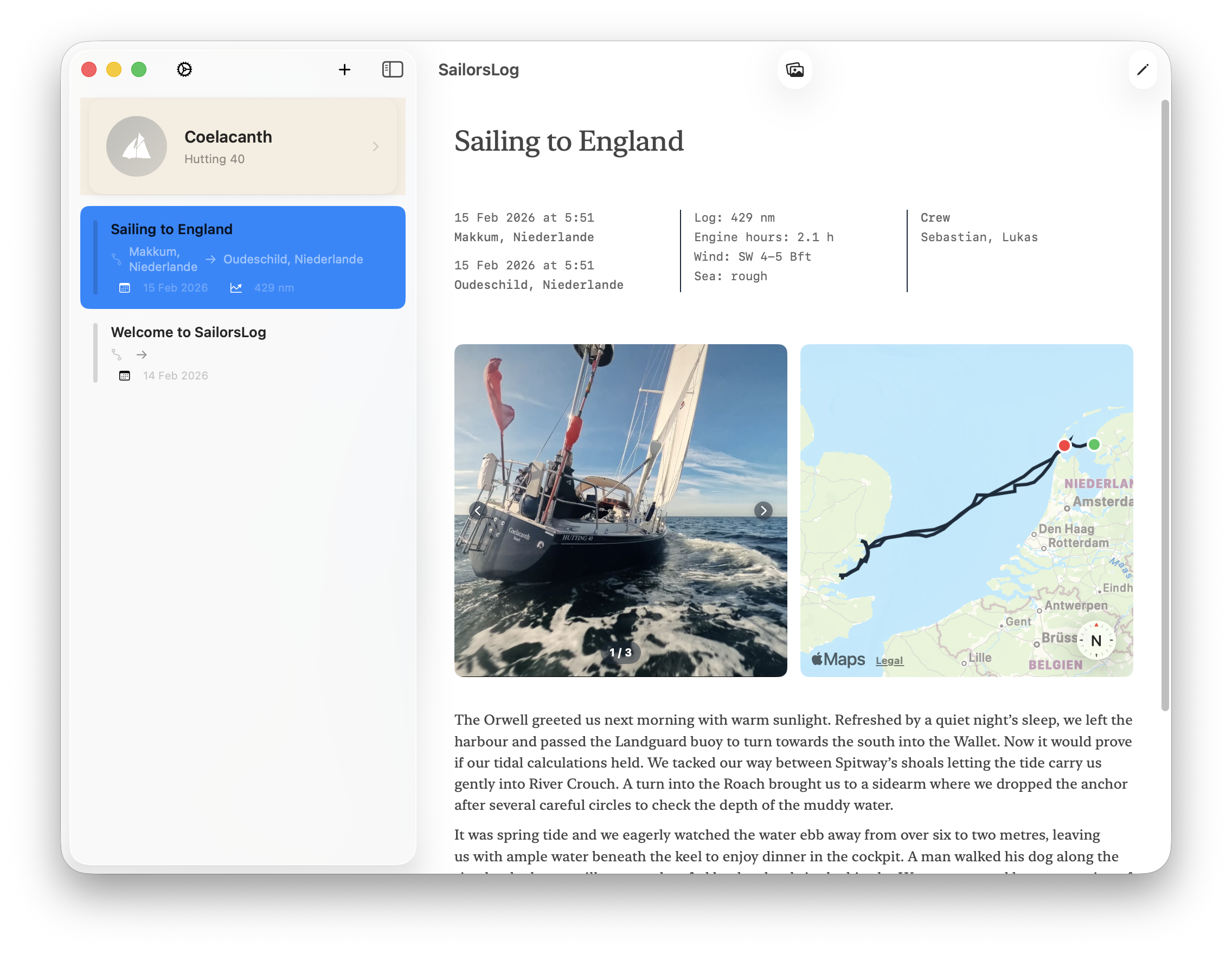
Three things sailors kept asking for — and now they’re here.
Search Logbook Entries by Port, Crew, or Weather
Type anything into the search bar and your entries filter instantly: port names, crew members, weather notes, tags. Whether you’re trying to find that one anchorage from last summer or double-check what the wind was doing in the Strait of Gibraltar, it’s one tap away.
Full-Screen Sailing Photo Gallery
Tap any photo in an entry to open it full-screen. Swipe between images, pinch to zoom in on the details — a dock line, a distant headland, the expression on the crew’s faces at 0300 in a squall. Swipe down or tap ✕ to return.
Full-Screen Interactive GPX Track Map
Tap the expand icon on any track map to open it full-screen. Switch between standard and satellite view to see your route against actual coastline. Pan and zoom freely — no more squinting at a thumbnail. Import GPX tracks from your chartplotter to see your passages come alive.
Download SailorsLog on the App Store and start searching your logbook.
⚓️ After implementing these new features, we took the afternoon off and went sailing.