
For three versions we leaned on chartplotter exports. If you wanted the route on your entry’s map, you imported a GPX from your Raymarine, Navionics, or B&G plotter at the end of the passage. It worked, but it asked something of you — remembering to export, finding a moment with phone and plotter both at hand, getting the file off the SD card.
In v1.4, your iPhone or iPad does the drawing itself.
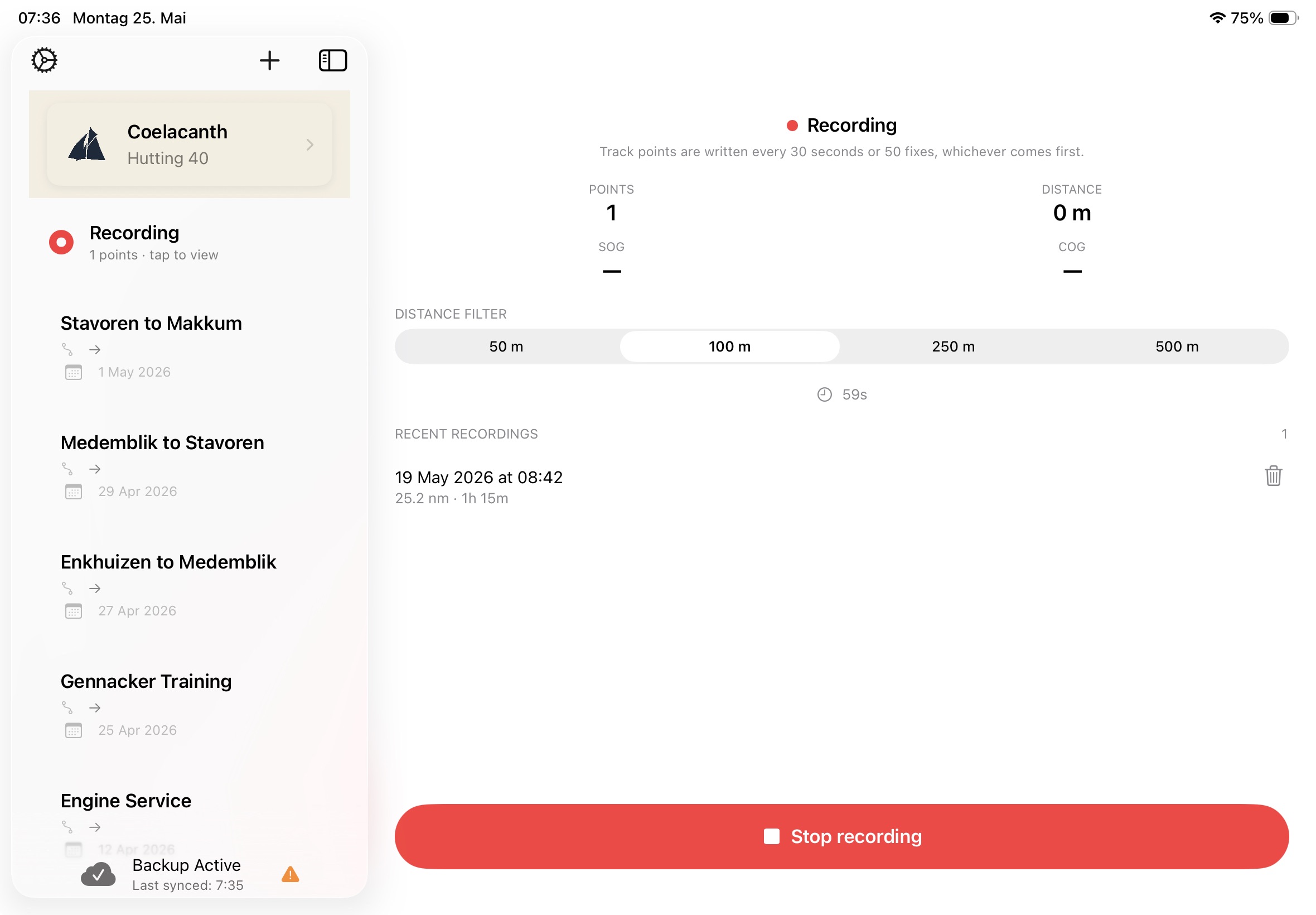
Tap Record before you cast off
The Record button lives in the sidebar on iPad and Mac, and in the toolbar on iPhone. Tap it, the recorder starts, and you can put the phone away. SailorsLog quietly captures GPS fixes while you sail. When you stop the recording and attach it to a logbook entry, the trace appears on the entry’s map — without you ever touching the chartplotter or a GPX file.
There is no separate “track” view to learn. The recorder is just another way to fill the same map that already lives at the bottom of every entry.
Recording continues with the screen locked
This is the part most users assume won’t work. Apps that need GPS in the background sit in a category iOS guards carefully — battery and privacy concerns, both real. SailorsLog asks for the “Always” location permission specifically so the recorder can keep capturing fixes while the screen is locked, while you scroll through mail, or while the phone is wedged in a chart-table cubby with a glass of water on top.
The first time you start a recording, iOS will ask you to grant background location. There is a one-screen rationale sheet beforehand explaining what that permission unlocks and what it does not.
Adjusting detail for the kind of sailing you do
On the recorder screen, a small segmented control lets you pick the recording detail: a new fix every 50, 100, 250, or 500 metres of movement. Coastal day sails benefit from finer detail; long ocean passages can run looser — your battery and your storage will both thank you. The setting persists across cold launches, so you can set it once for the kind of sailing you do.
One honest limit: don’t swipe SailorsLog away
iOS gives apps two ways to recover from being killed mid-recording: the system can re-launch a suspended app under memory pressure, and it can wake an app from a cold-launch signal driven by Significant Location Changes. SailorsLog uses both — together they cover almost every interruption case, including phone restarts, low-memory kills, and going silent in a Faraday-ish tunnel.
There is one case neither path covers: when you explicitly swipe the app away from the app switcher. iOS treats that as “I am done with this app, stop running it” — and it means it. Significant Location Changes do not re-launch an app the user swiped away. This is documented iOS behaviour (iOS 9 and up), not a SailorsLog bug.
So if you are on a passage and the recorder is running, leave SailorsLog alone in the background. If you do swipe it away, the next time you open the app a Resume / Finalise / Discard prompt will appear — that fallback path works, but it is a fallback. The plain “just leave it running” path is more reliable.
Recordings live on the device that captured them
If you sail with two devices — an iPad at the chart table, an iPhone in your pocket — and you record on both, each device’s recording lives in its own local pool. They do not sync between devices.
When you attach a recording to a logbook entry, that is the moment it becomes shareable across your devices via iCloud. Until then, the recording is device-local. Pick one device to be your recorder for a given passage, or treat each device’s recording as its own draft and attach the one you prefer.
Continuous tracks vs. discrete passage events
If you have been using SailorsLog for a while, you may have written entries with Passage Events — those brass-coloured dots on the entry map marking course changes, sail changes, squalls, the dolphin sighting south of Brest. Passage Events are discrete moments, captured one tap at a time.
A recorded track is the opposite: the continuous trace between those moments. The two compose naturally — a track shows the route you took, while passage events annotate the moments along it that mattered. You do not have to pick one approach. An entry can carry both.
Try it on your next passage
Download SailorsLog on the App Store and start your sailing journal. The GPS Track Recorder is included in the Skipper subscription.
Fair winds ⚓️